Pomodoro timer for iPhone and iPad
Moment on iPhone and iPad is a focus timer for iOS 18 or iPadOS 18, or newer, for work or for study. You set a session on the dial, take Pomodoro breaks between sessions, and see the time left in widgets and Live Activities. The timer, breaks and widgets are free.
Dial
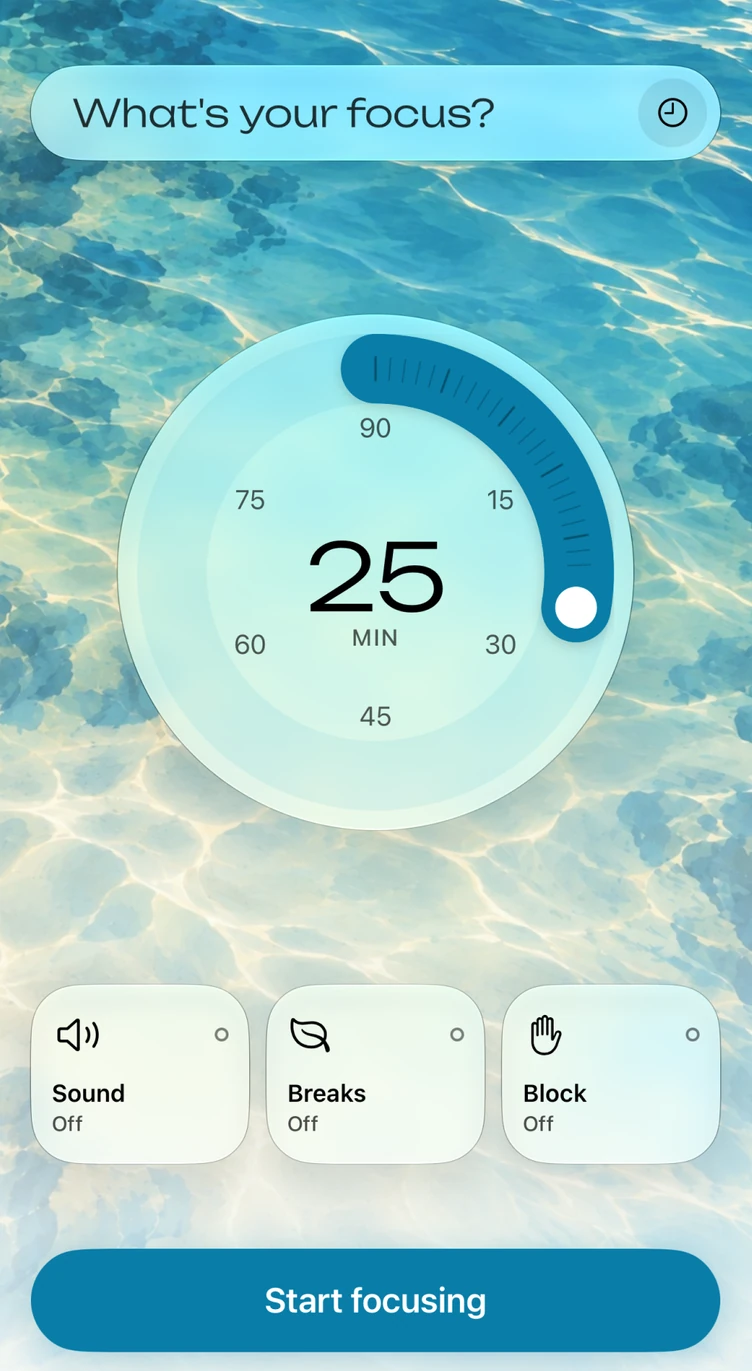
Turn the dial to set 5 to 90 minutes, 25 by default, enter what the session is for, and tap Start focusing. When the session ends, you can mark how it felt on a scale from scattered to flowing.
Breaks
A short break lasts 1 to 30 minutes, 5 by default, and a long break lasts 5 to 60 minutes, 20 by default. The long break comes after 2 to 8 sessions, 4 by default.
Home Screen widgets
Moment has small and medium Home Screen widgets on iPhone and iPad. When no session is running, a widget shows Moment's mark and the last length you set, and the medium widget also lists your recent intentions, any of which starts a session when you tap it. While a session runs, a widget shows the time left, your intention and the progress.
StandBy
StandBy is an iPhone feature, and Moment's small widget appears there in the same way as any other small widget.
Lock Screen and Live Activities
Moment has circular, rectangular and inline Lock Screen widgets, and a tap on one opens Moment. While a session runs, a Live Activity shows the time left on the Lock Screen of your iPhone or iPad.
Dynamic Island
On iPhone models that have the Dynamic Island, the Live Activity appears there as well, in its compact, minimal and expanded views. A tap on the Live Activity opens Moment.
Siri, Shortcuts and Focus filters
You can ask Siri to “Start focus in Moment” or “Stop focus in Moment”, and you can start a session of a custom length. The same actions are in the Shortcuts app. On iOS 27 and iPadOS 27, you can also ask Siri to pause or resume a session, add time or tell you how long is left, and you can ask Siri how your focus has been.
With a Focus filter, each Focus can start a session of the length you choose, use its own theme and mute Moment's sounds.
App blocking
App blocking is part of Moment Pro on iPhone and iPad. Moment uses Screen Time so the apps, categories and websites you choose won't open during a session. It needs your permission and a device passcode, and you can't change your choices while a session is running.
iPad
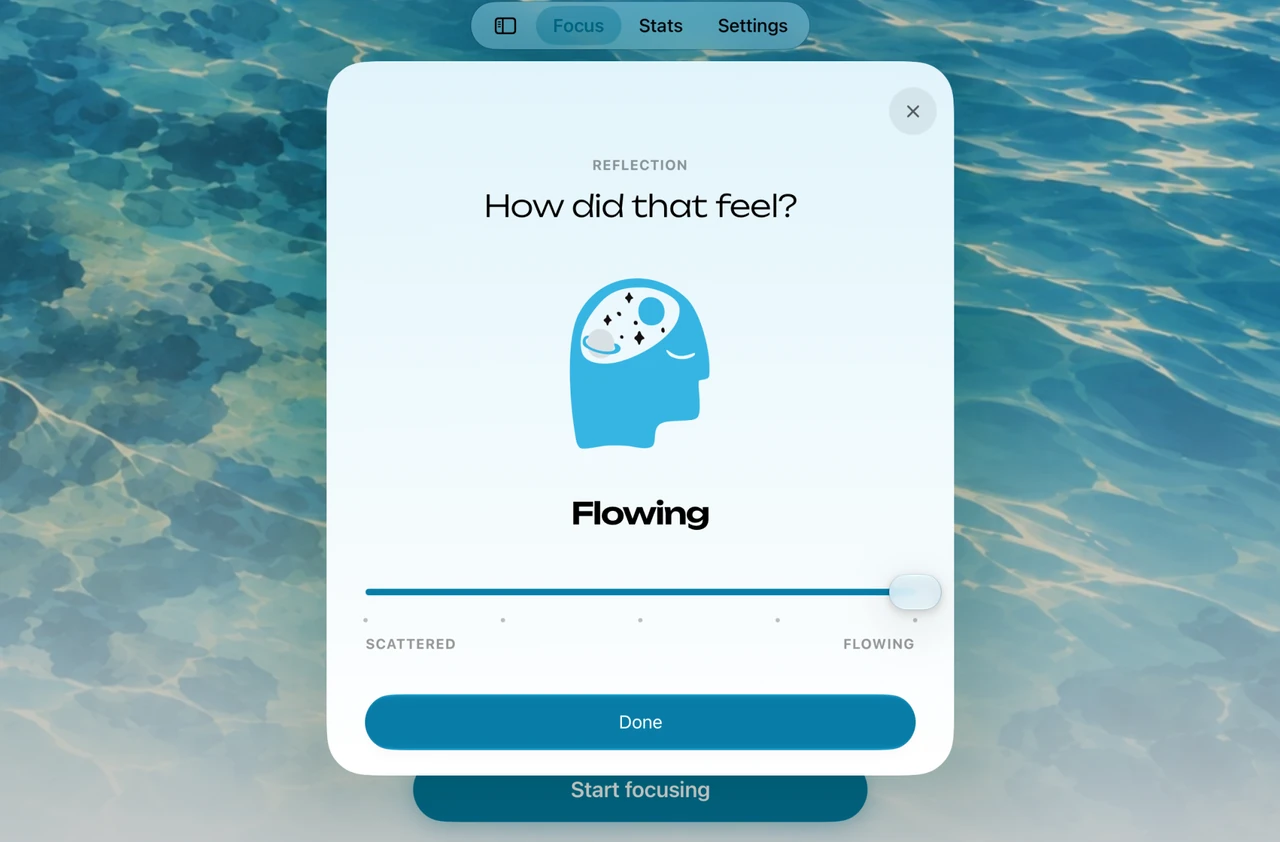
On iPad, Moment opens with Focus, Stats and Settings in a tab bar at the top of the screen, and you can expand the tab bar into a sidebar. Moment works in all four orientations on iPad and in portrait on iPhone. With a keyboard, Space starts and pauses a session, and ⌘. ends it.
Themes and sounds
Moment has four themes, Ocean, Air, Sand and Forest, and each has three background sounds. There is a ticking sound as well. The sounds play alongside your music or podcasts and don't stop them.
Apple Health and iCloud sync
Apple Health stays off until you turn it on, and Moment only writes to it. Your focus time is saved as Mindful Minutes and how each session felt as State of Mind. Sessions sync over iCloud with Moment on Mac, Apple Watch and Vision Pro, and Stats shows all of them.
Free and Moment Pro
The timer, breaks, widgets, Live Activities, Siri and Shortcuts, Focus filters, the themes and sounds, Apple Health and iCloud sync are free, and Stats shows your totals. Moment Pro adds app blocking and full insights in Stats, such as which intentions your time went to and how your sessions felt, along with insights written on your device, by Apple Intelligence where it is available.

Moment for iPhone and iPad
The timer and breaks are free on iPhone and iPad, and your sessions sync with Moment on your other devices.
