Pomodoro timer for the Mac menu bar
Moment on the Mac is a menu bar app for macOS 15 or newer. It has an icon that shows the session's progress, a popover under it and a floating timer (Moment Pro) that keeps the time left in view, and it syncs with Moment on your other devices.
Menu bar icon
The menu bar icon is Moment's mark. It fills as the session runs, and it can show the time left beside it, with four display options. Click it to open the popover.
Popover and docked window
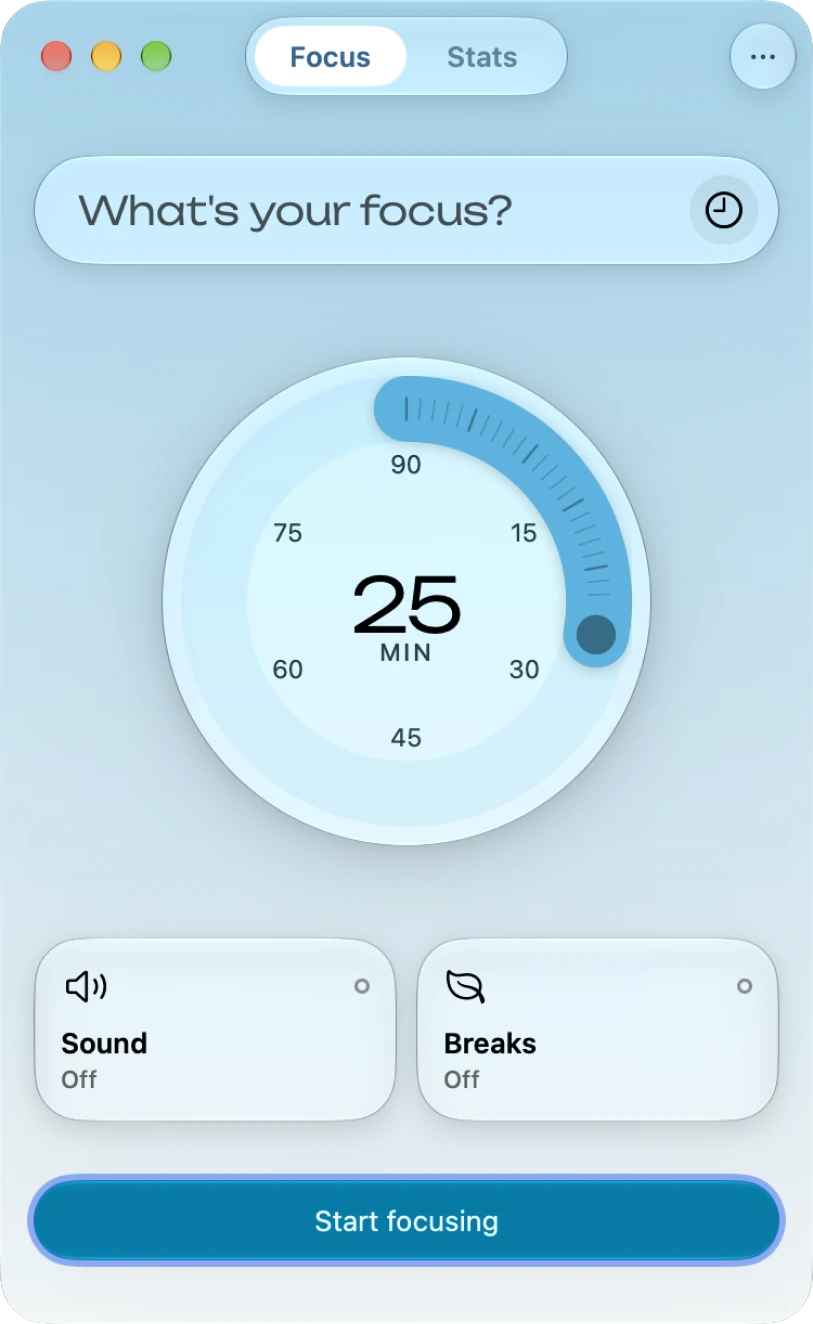
Moment can run as a window with an icon in the Dock, and the window can be resized. The popover opens under the menu bar icon with the same timer and tabs: the dial, the intention and Start focusing, and Stats behind a tab. You can keep Moment in the menu bar, in the Dock or in both.
Floating timer
The floating timer (Moment Pro) is a small pill with the time left and the intention. It stays above your other windows. You can drag it anywhere, and clicking it opens Moment.
Breaks, themes and Shortcuts
Breaks are free, with short and long breaks between sessions and the Session over, Break and Break over screens. The four themes, Ocean, Air, Sand and Forest, each have their own ambient sound and a ticking sound. Moment for Mac supports Siri and Shortcuts, Focus modes and widgets.
iCloud sync
Sessions sync over iCloud with Moment on iPhone, iPad, Apple Watch and Vision Pro, and Stats shows all of them.

Moment for Mac
The timer is free in your menu bar, and your sessions sync with Moment on your other devices.
