Focus timer for Vision Pro
Moment is a native visionOS app for visionOS 26 or newer, a spatial computing app built for Vision Pro rather than the iPad app running there. The timer is free, and the floating timer and Insights are part of Moment Pro.
Dial
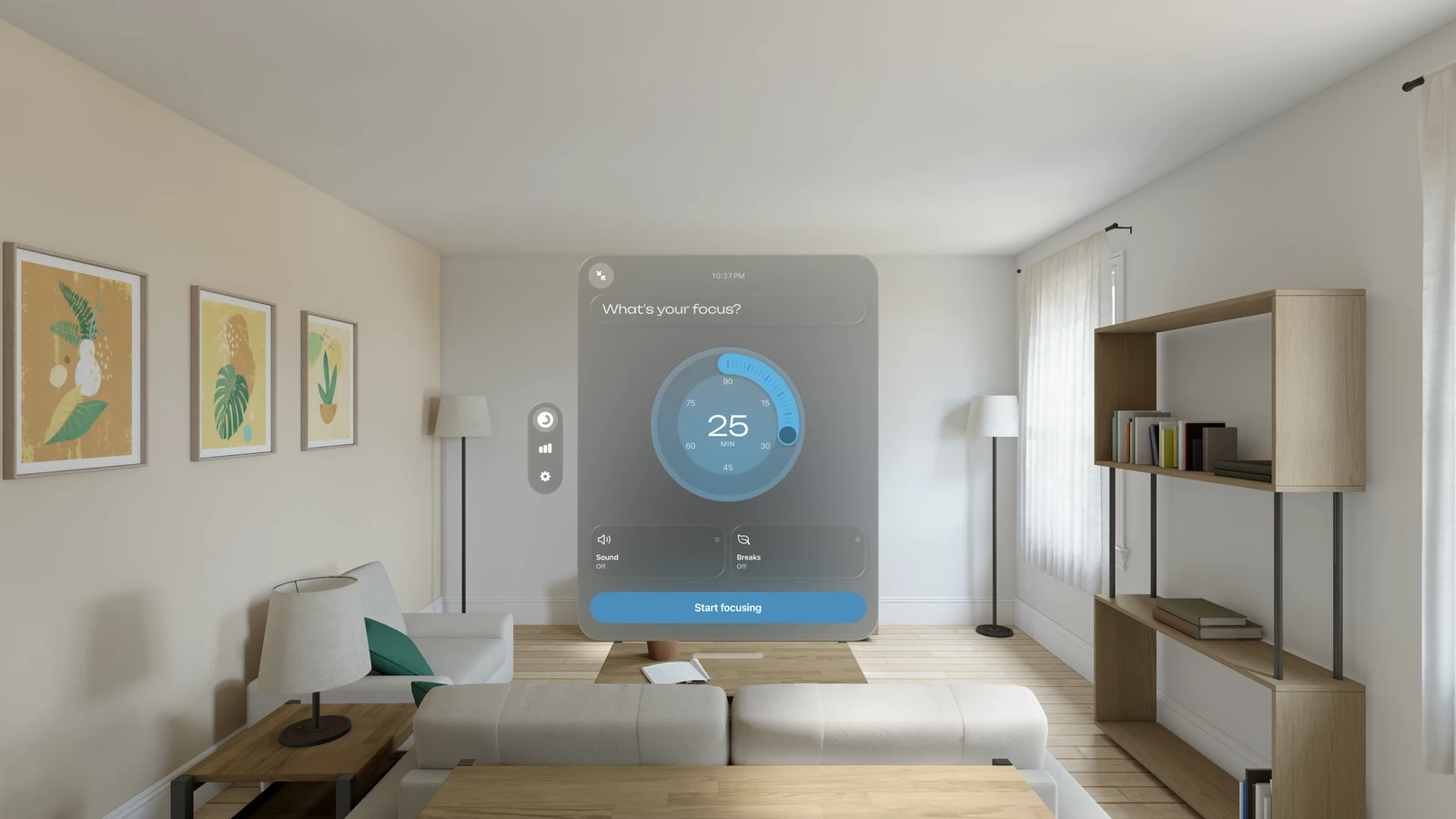
The window sits where you place it, with the dial inside. Turn the dial to set 5 to 90 minutes, enter what the session is for, and tap Start focusing. The tabs, for the timer, Stats and Settings, are an ornament at the window's side.
Floating timer
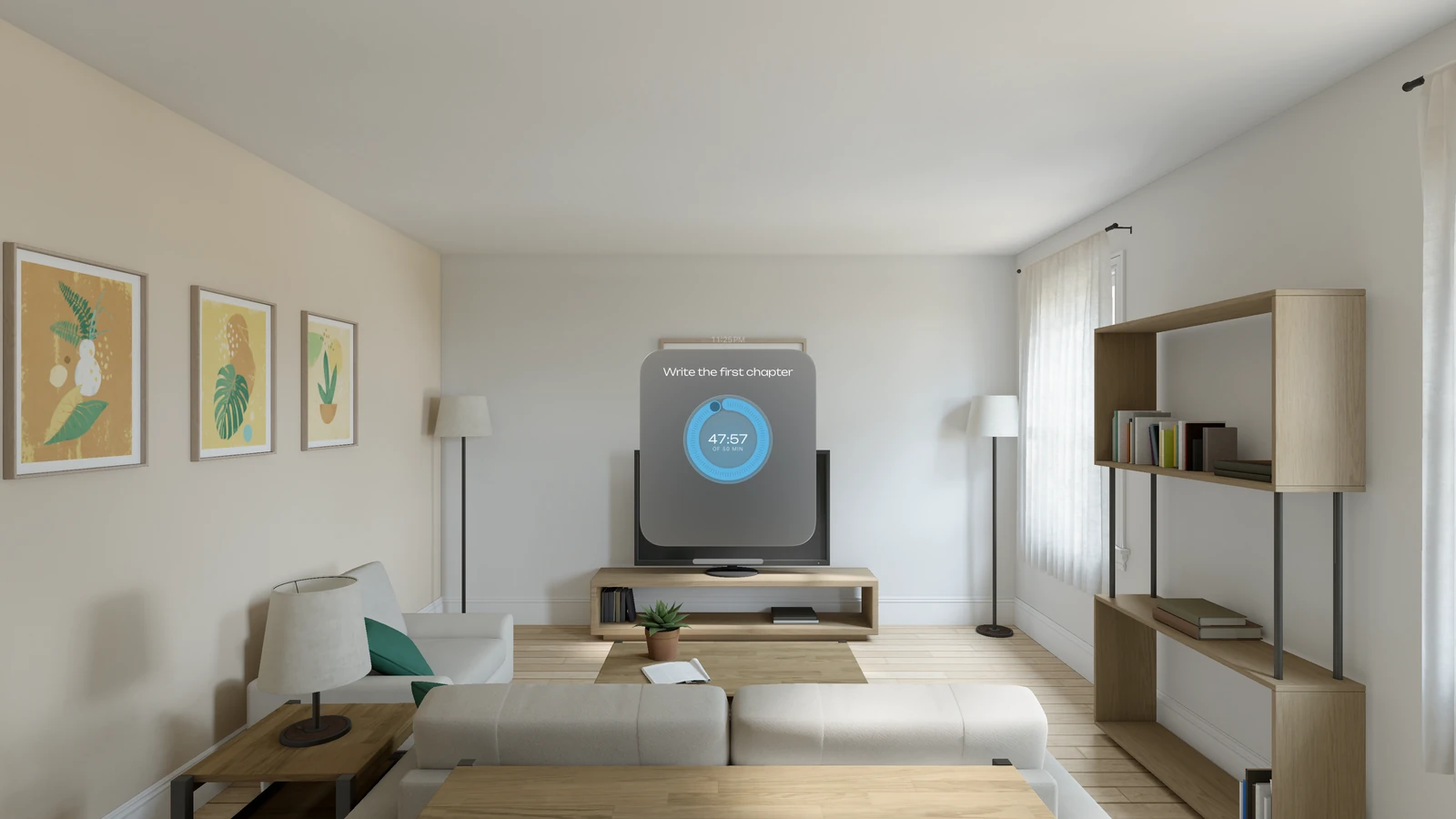
You can shrink the window to a floating timer (Moment Pro) that shows the time left and your intention while a session runs, and its controls appear when you look at it.
Widgets, Stats and Insights
Place a widget in your room to see your session without opening the window. Stats shows every session from every device. Insights (Moment Pro) show you the patterns in your work over time, and they are written on your device, by Apple Intelligence where it is available.
iCloud sync
Sessions sync over iCloud with Moment on iPhone, iPad, Mac and Apple Watch, so a session finished on Vision Pro appears in Stats on the iPhone. The four themes, the ambient sounds and the dial are the same on each device, and the timer is free on all of them. Breaks are included on Vision Pro, with the Session over, Break and Break over screens.

Moment for Vision Pro
The timer is free on Vision Pro, and your sessions sync with Moment on your other devices.
