Pomodoro timer for Apple Watch
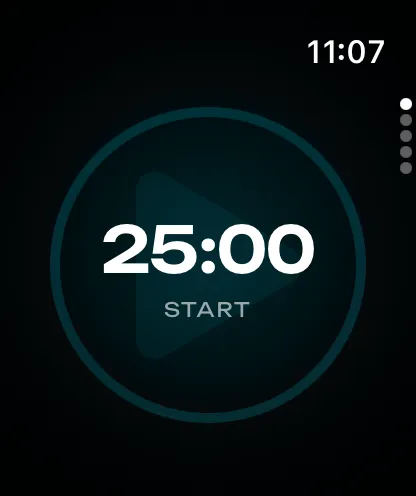
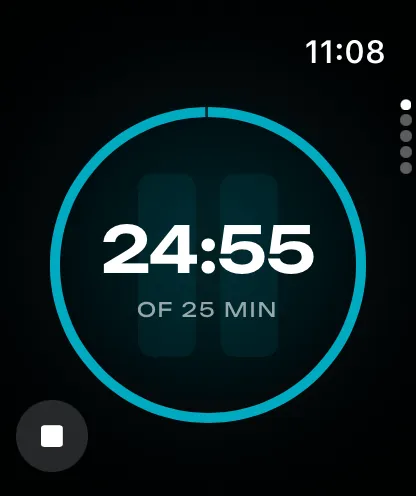
Moment on Apple Watch is a companion to the iPhone app, for watchOS 11 or newer. You set and start a session on the wrist and read the time left there while it runs. Breaks are included on the Watch.
Digital Crown
Turn the Digital Crown to set the session length, 5 to 90 minutes, and tap Start. A session started on the iPhone appears on the Watch at once.
Always On
With Always On, the time left stays on screen while your wrist is down. The display dims.
Complication and Smart Stack
Moment's complication opens the timer from a watch face. While a session runs, the complication surfaces in the Smart Stack.
iPhone sync
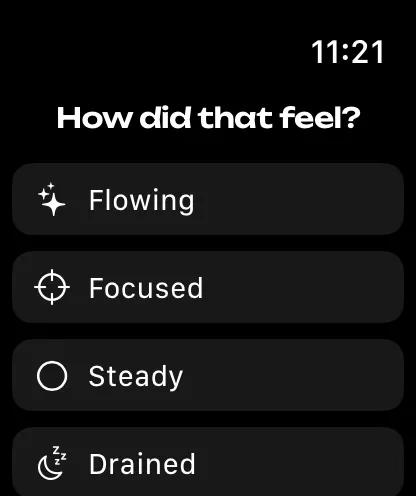
The Watch and the iPhone exchange the timer's state directly, so a session started on either runs on both. When a session ends, the Watch helps you reflect on it with “How did that feel?”, and you mark how it felt on the same scale as on the iPhone, from scattered to flowing. Your answer goes with the session to Stats. The minutes reach Apple Health as Mindful Minutes, through the iPhone.
Limitations
Moment on the Watch is not an app on its own: it comes with the iPhone app and requires it. The timer syncs with the iPhone at once, while the theme and the Pomodoro cycle follow over iCloud, which can take longer. App blocking during a session is on iPhone and iPad, not on the Watch.

Moment for Apple Watch
Download Moment on your iPhone to use it on your Apple Watch. The timer and breaks are free.
