Focus timer with Apple Music
Moment plays the music you choose on Apple Music or in your library during your focus sessions, on iPhone, iPad, Mac and Vision Pro. You can choose a playlist we picked for focus or music from your library. Music in Moment is free.
Sound sheet
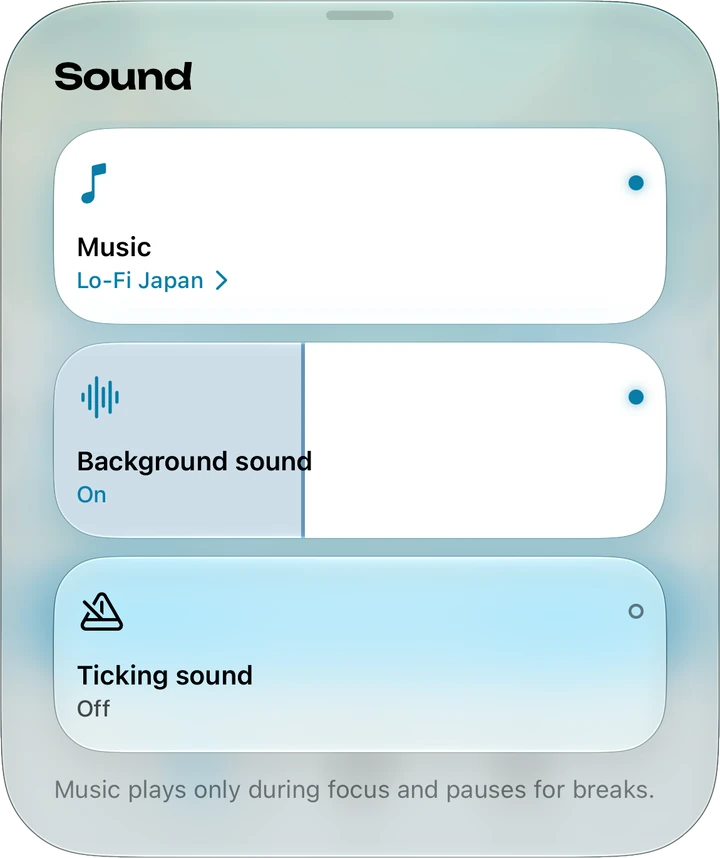
The Sound sheet opens from the Sound card on the timer. Music is its first box, above Background sound and Ticking sound. A tap or click on the box turns music on or off, and the line under its name opens the Music screen, where you choose what plays. Music and the theme's background sound are separate, so they can play together. The line under the boxes reads “Music plays only during focus and pauses for breaks.”
Connecting Apple Music
Until you connect, the Music screen shows Connect Apple Music. Moment asks for access to Apple Music and your library only when you choose Connect, and the request gives Moment's reason: “Moment plays the music you choose on Apple Music or in your library during focus sessions, and keeps your recent choices in iCloud.” Disconnect Apple Music, in the Music screen's menu, stops the music and hides your library on that device. To remove Moment's access completely, turn off Moment in Settings › Privacy & Security › Media & Apple Music, or on the Mac in System Settings › Privacy & Security › Media & Apple Music.
Focus playlists
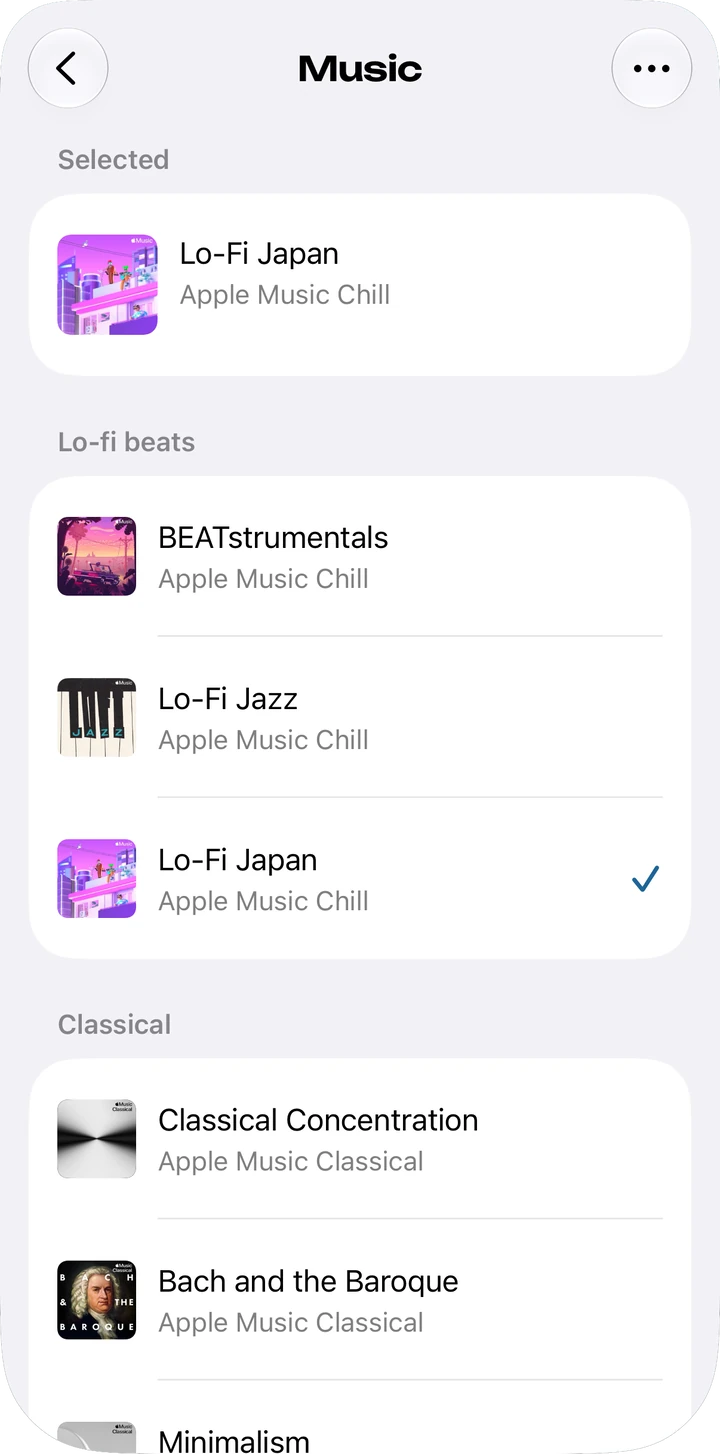
The Music screen has twelve playlists made by Apple Music editors, which we chose for focus, in four groups: Lo-fi beats, Classical, Electronic and Ambient. Their names and covers are the ones on Apple Music, in the language of your country or region. If a playlist isn't available where you are, another takes its place, and a group with nothing available isn't shown. The playlists need an Apple Music subscription.
Your library
Under Your library, Shuffle all plays your whole library, or you can choose from Playlists, Artists, Albums and Songs. Choosing an artist shuffles their songs, and choosing a song plays your songs in order from that one. Without an Apple Music subscription, only music you've bought or synced can play.
Focus and breaks
Music plays only while you focus. With breaks on, Moment follows the Pomodoro pattern, with a short break after each session and a long one after several. Music pauses when a break starts or when you pause the session, and it carries on when focus starts again. After a long break, the next focus session starts your music again from the beginning.
A session you start with Siri, Shortcuts, a Focus filter or Apple Watch begins without music, and the Music box says “Off for this session.” If you'd rather play your own audio in another app, leave Music off. Background sound and ticking play alongside your own music or podcasts and never stop them.
Devices and iCloud sync
Music is in Moment on iPhone, iPad, Mac and Vision Pro, and Moment on Apple Watch has no music. Under Recent, the Music screen shows the music you chose before. Your choices are kept in iCloud and sync with Moment on your other devices, if you use iCloud. Connecting Apple Music is separate on each device.

Moment, a focus timer for deep work
The timer, breaks and music in Moment are free on iPhone, iPad, Mac and Vision Pro.
